Icon of program: Auslogics Disk Defrag

Auslogics Disk Defrag for Windows

  • Free
  • 4.3
    1006
  • 100.2K
  • V12.1.0.1
Free Download for Windows

View an ad to download for free

Increase performance by organizing your hard-drive for free

Last time Nick reviewed Auslogics Disk Defrag, he was impressed by its speed and ease of use. Well, a new version of the defragmentation tool is now out, but will it be a change for the better?

Top Recommended Alternative

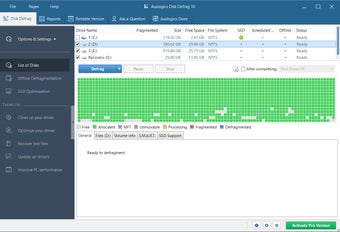
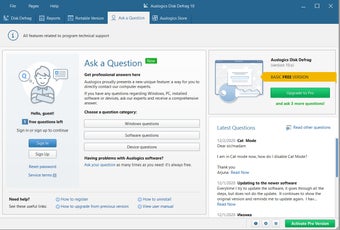
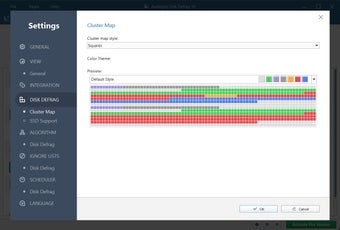
Happily, the answer is yes. The updated version of Auslogics Disk Defrag is similarly fast and easy to use but boasts an improved interface and a range of other features that make the tool a pleasure to use. Auslogics Disk Defrag's graphical representation of the defrag process makes things much easier to follow and just a little more interesting. Defrags are still fast and smooth, and the process doesn't take too much of a toll on your system resources.

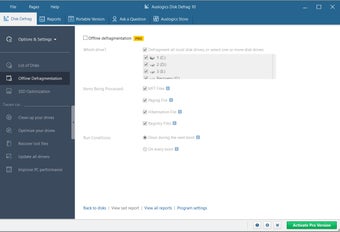
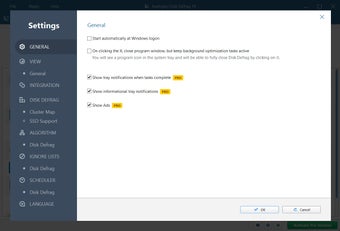
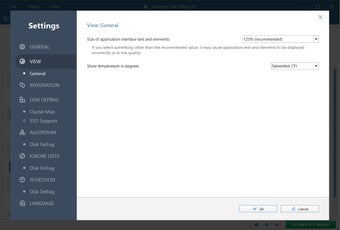
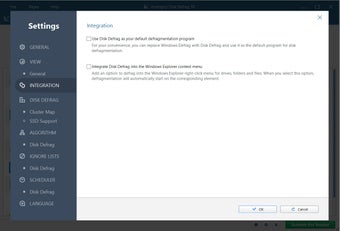
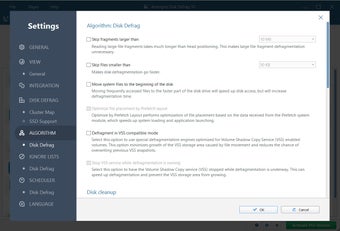
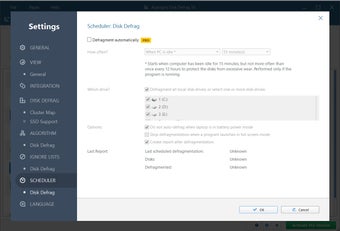
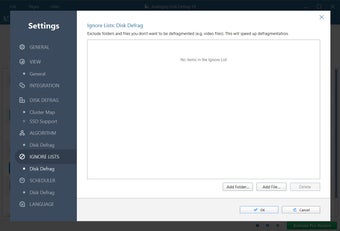
Even beginners will be more than capable of using Auslogics Disk Defrag, especially since the interface is now clearer than ever. Those who want a little more control over their computer will find plenty of Settings, where configuration options run from scheduling defrags to examining process reports. Auslogics Disk Defrag allows you to defrag both drives and individual files and folders and integrates into the context (right-click) menu for really easy access. There are also plenty of options for setting defrag priority and balancing resources. This, coupled with Auslogics Disk Defrag's speedy scanning, means that the pain of Windows' in-built defragmentation tool will be nothing but a distant memory.

Auslogics Disk Defrag - a great tool for beginners and intermediate users. In case you are looking for other free alternatives, we recommend you to download Smart Defrag or Defraggler.

  • Pros

    • Easy to use
    • Auto-shutdown
    • Auto-defrag when computer is idle
    • Defrag and Optimize feature
    • Free
  • Cons

    • Help is online only
 0/13

App specs

Program available in other languages


Icon of program: Auslogics Disk Defrag

Auslogics Disk Defrag for PC

  • Free
  • 4.3
    1006
  • 100.2K
  • V12.1.0.1
Free Download for PC

View an ad to download for free


User reviews about Auslogics Disk Defrag

4.3

5 reviews

Add review

Main reviews for you

  • Anonymous user

    Great Defrager. Having just loaded Auslogics and used it for the first time I'm very impressed,I like it better than the Windows defrag.

  • Anonymous user

    Fastest Defragger Around. Auslogics Disk Defrag might not be the most powerful defragger around but it is the quickest. U never had it take more than 5 minutes on quick and 10 minutes on maximum. It's also very simple and and easy to use.The downside is it's not gonna defrag your computer as well as other alternatives. Your sacrificing power for speed in this case. Overall if you want a defragger that is fast and you can use for everyday use then Auslogics Disk Defrag is very good tool for you. Just remember to get a more powerful one you can use once a week as well like SmartDefrag. Pros: Very FastEasy To UseEye PleasingCan Be Used For Daily Use Cons: Now As Powerful As AlternativesYou Will Still Need A Defragger For Weekly Defraggings

  • Anonymous user

    Auslogics Disk Defrag the best. best hard drive defragmentation software i have run on my computer it does what is says on the tin!!! Pros: its free Cons: non

  • Anonymous user

    Better And Faster Than The Windows Version. Brilliant little piece of software and I use it on a weekly basis

  • Anonymous user

    The best solution. This is the best hard drive defragmentation software I ever used! It's very quick and easy to use. I recommend it to all computer users!

More

You may also like

Alternatives to Auslogics Disk Defrag

Explore Apps

Related Articles

Latest articles

Laws concerning the use of this software vary from country to country. We do not encourage or condone the use of this program if it is in violation of these laws.
Softonic

Is Auslogics Disk Defrag safe?

100/100

Score result: Clean

This file passed a comprehensive security scan using VirusTotal technology. It is safe to download.

  • Virus free
  • Spyware free
  • Malware free
  • Verified by Security Partners

    VirusTotal logo

Scan Info

Last scan
Monday, May 4, 2026
Scan provider
VirusTotal

Softonic security commitment

Auslogics Disk Defrag has been thoroughly scanned by our advanced security systems and verified by industry-leading partners. This file comes from the official developer and has passed all our security checks, showing no signs of viruses, malware, or spyware. For more information, visit our Security and Trust Center

Signed in to Softonic as